Your contractor website might have professional project photography, detailed service pages, strong Google rankings, and a polished WordPress design. But if visitors have to wait for images to appear, struggle with slow navigation, or encounter a form that takes too long to respond, some may leave before contacting your business.
For roofing contractors, HVAC companies, electricians, plumbers, general contractors, pool builders, remodeling companies, and landscaping businesses, website performance is more than a technical consideration.
It’s part of the customer experience.
WordPress website speed optimization and technical SEO services for contractors focuses on making websites faster, more responsive, and more stable while preserving the content, search visibility, and conversion pathways that already support the business.
That includes optimizing Core Web Vitals, Elementor layouts, images, scripts, caching, hosting, and mobile usability.
However, the goal isn’t simply to achieve a perfect Google PageSpeed Insights score.
It’s to create a WordPress website that loads efficiently, helps customers find relevant services, and makes it easier to request an estimate, schedule a consultation, or contact your company.
In this guide, we’ll explore the technical and business considerations behind contractor WordPress performance, including how website speed connects with SEO, user experience, and lead generation.
Why WordPress Website Speed Matters for Contractors
Contractor websites serve visitors with different needs and expectations.
A homeowner searching for emergency AC repair may want immediate access to a phone number. Someone planning a custom home may spend more time reviewing completed projects, construction capabilities, and consultation information.
In both situations, a slow or unstable website can interrupt the buying journey.
Consider these examples:
HVAC contractors: A mobile visitor searching for AC repair needs fast access to service information and a call button.
Roofing companies: A property owner comparing roof replacement providers wants project evidence, service details, and a reliable estimate form.
General contractors: A prospective client researching construction services may explore several pages before scheduling a consultation.
Pool builders: Visitors expect detailed galleries without excessive image-loading delays.
Landscaping companies: Customers reviewing patios, pergolas, hardscaping, and outdoor kitchens need smooth navigation between service and project pages.
Electrical contractors: Someone researching EV charger installation may need technical information, service-area details, and a clear estimate request process.
Website performance affects how comfortably visitors can complete these actions.
A faster website doesn’t automatically create more leads. But improving performance can remove friction that prevents otherwise interested visitors from engaging with your business.
What Are Core Web Vitals for WordPress Contractor Websites?
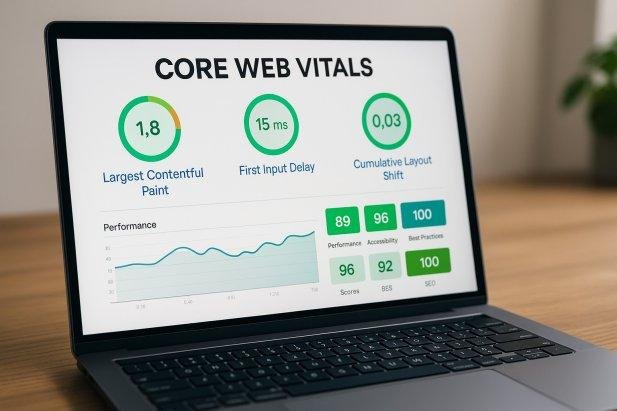
Core Web Vitals are Google’s metrics for evaluating important aspects of real-world website experience.
They measure how quickly important content appears, how responsive a page feels during interactions, and how stable its layout remains while loading.
The three current Core Web Vitals are:
| Metric | What it measures | Good performance target |
|---|---|---|
| Largest Contentful Paint (LCP) | Loading performance | 2.5 seconds or less |
| Interaction to Next Paint (INP) | Responsiveness to user interactions | 200 milliseconds or less |
| Cumulative Layout Shift (CLS) | Visual stability | 0.1 or less |
Google evaluates these thresholds using real-user data at the 75th percentile when sufficient data is available.
1. Largest Contentful Paint (LCP): How quickly important content appears
Largest Contentful Paint measures when the largest visible content element, often a hero image or large text block, finishes rendering.
For contractor websites, that element might be:
A large roofing project photograph.
A custom home hero image.
An HVAC service banner.
A landscaping project image.
A prominent heading introducing a remodeling service.
If the main content takes too long to appear, visitors may perceive the website as slow even when smaller elements are already visible.
WordPress optimization opportunities include:
Compressing and properly sizing hero images.
Using appropriate modern image formats.
Improving server response times.
Reducing render-blocking CSS and JavaScript.
Prioritizing critical above-the-fold resources.
Avoiding unnecessary lazy loading of the main hero image.
For example, a pool construction website might feature a high-resolution photograph of a completed luxury pool.
That image can support the company’s visual credibility, but uploading an unnecessarily large original file may create avoidable loading delays.
The solution isn’t to eliminate the photography. It’s to deliver it efficiently.
2. Interaction to Next Paint (INP): How responsive the website feels
Interaction to Next Paint measures responsiveness across user interactions such as clicks, taps, and keyboard input.
A contractor website may appear fully loaded while still responding slowly to user actions.
Examples include:
A mobile navigation menu that opens with a delay.
An estimate form that feels unresponsive.
A project gallery that hesitates when switching images.
A scheduling interface that becomes difficult to interact with.
A contact button affected by heavy JavaScript execution.
WordPress websites built with page builders, form plugins, tracking tools, and third-party scripts may accumulate unnecessary browser work.
Improving INP often requires examining JavaScript execution, long tasks, event handlers, and the complexity of interactive components.
The goal is to make important website actions feel immediate and reliable.
3. Cumulative Layout Shift (CLS): Keeping the page visually stable
Cumulative Layout Shift measures unexpected movement of visible content.
Imagine a homeowner trying to tap a “Request an Estimate” button when a late-loading image pushes the button farther down the screen.
Or a contractor website where project photos, fonts, and embedded widgets cause the page to shift while someone is reading.
These experiences can be frustrating and may lead to accidental interactions.
Common causes include:
Images without reserved dimensions.
Embedded videos without defined containers.
Fonts that significantly change text layout.
Dynamically inserted banners.
Widgets that load without reserved space.
Late-loading content above existing elements.
WordPress developers can improve visual stability by defining image dimensions, reserving space for dynamic elements, and managing font loading carefully.
A stable layout makes the website easier to navigate and interact with.
Why Contractor WordPress Websites Become Slow
WordPress itself isn’t necessarily the problem.
Performance issues often develop through the combination of themes, page builders, images, plugins, hosting configuration, and accumulated website changes.
Contractor websites are particularly likely to contain large visual assets and multiple lead-generation features.
Large project images and unoptimized galleries
Construction websites often depend on visual proof.
Roof replacements, kitchen renovations, luxury homes, swimming pools, landscaping installations, and outdoor living projects benefit from detailed photography.
But uploading full-resolution images directly from a camera or phone without appropriate optimization can increase page weight considerably.
A single service page may contain a large hero image, several project photographs, background images, and gallery thumbnails.
When these resources aren’t properly sized and delivered, loading performance can suffer.
Excessive WordPress plugins
Plugins extend WordPress functionality, but each plugin can introduce additional assets, database queries, or processing requirements.
A contractor website might use separate plugins for:
Contact forms.
Appointment scheduling.
Project galleries.
Popups.
Analytics and tracking.
SEO.
Caching.
Security.
CRM integrations.
The number of plugins alone doesn’t determine performance. A well-built plugin may have little impact, while one poorly optimized feature can create significant overhead.
A proper WordPress speed audit evaluates what each plugin loads, how it behaves, and whether its functionality is still needed.
Heavy Elementor layouts and animations
Elementor allows contractors to build visually rich WordPress pages with flexible layouts and responsive controls.
However, websites can become unnecessarily complex when designs rely on deeply nested containers, excessive widgets, animation effects, third-party add-ons, and duplicated styling.
Performance optimization should focus on simplifying the page structure while preserving the design and functionality that visitors actually need.
Hosting and server response times
WordPress performance also depends on the hosting environment.
Slow server responses, insufficient resources, poorly configured caching, and inefficient database operations can delay page delivery.
A website with optimized images and minimal JavaScript may still perform poorly if the server takes too long to generate the initial response.
Hosting should be evaluated alongside WordPress configuration, not treated as an isolated solution.
How to Optimize Elementor Website Speed Without Sacrificing Design
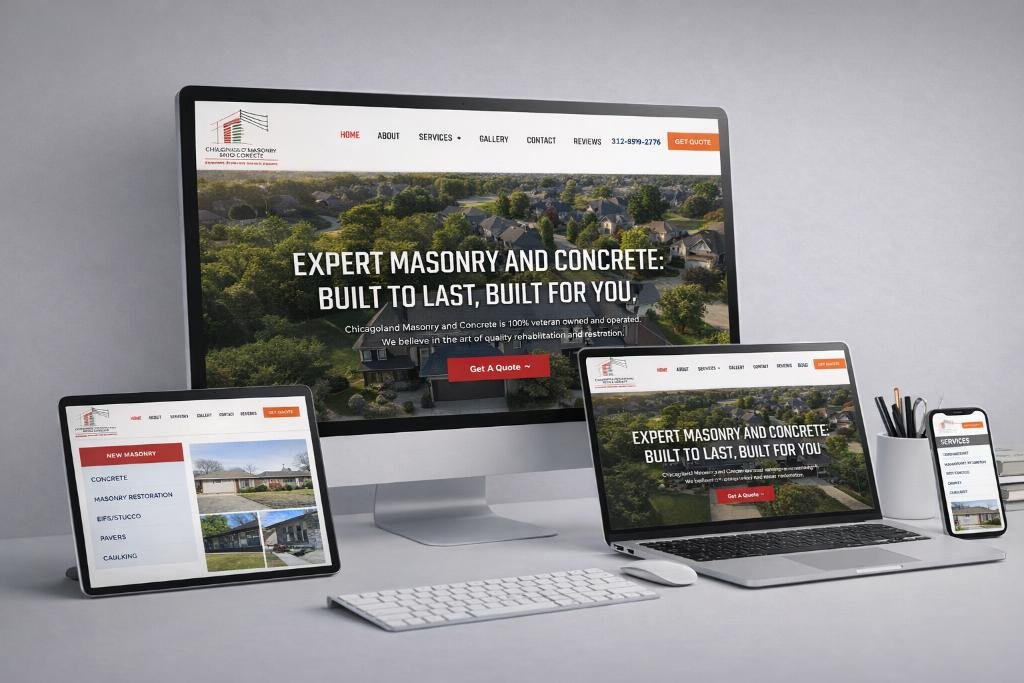
Many contractor websites use Elementor because it supports custom service pages, project portfolios, responsive layouts, and conversion-focused sections.
The objective of Elementor speed optimization is not to strip away the website’s visual identity.
It’s to identify unnecessary complexity and deliver the existing experience more efficiently.
Simplify layout structures
Review pages containing excessive nested containers or redundant sections.
Where appropriate, consolidate layout elements, remove unused widgets, and reduce unnecessary styling.
A cleaner page structure may lower rendering complexity and make future maintenance easier.
Review animation and motion effects
Subtle animation can improve presentation, but excessive motion effects can introduce additional processing and distract from important content.
For contractor websites, service information, project imagery, and contact opportunities should remain the priority.
Use animations selectively and respect reduced-motion accessibility preferences.
Reduce unnecessary Elementor add-ons
Third-party Elementor extensions may load additional CSS, JavaScript, fonts, or other resources.
Audit which add-ons are actively used and whether their functionality justifies the overhead.
Remove unused extensions carefully, testing the website after each change.
Optimize responsive layouts
A desktop design that looks excellent on a large monitor may require significant adjustments for smartphones.
Review mobile typography, spacing, image sizes, menus, forms, and CTA placement.
Avoid relying on large hidden desktop sections when smaller, purpose-built responsive components would be more efficient.
Test after every major optimization
Combining scripts, delaying JavaScript, changing CSS delivery, or disabling assets can sometimes break menus, forms, galleries, and other interactive elements.
Use a staging environment and verify the functionality of important conversion paths before publishing changes to the live website.
A faster contractor website is only an improvement if customers can still use it successfully.
WordPress Image Optimization for Roofing, Remodeling, Pool & Landscaping Websites
Images are often among the most important assets on a contractor website.
They communicate workmanship, project scale, materials, design quality, and service capabilities.
Removing them simply to improve a performance score can weaken the visitor experience.
Instead, image optimization should balance visual quality and efficient delivery.
Use appropriate image dimensions
A photograph displayed at 700 pixels wide generally doesn’t need to be delivered as an oversized original image several thousand pixels wide.
WordPress supports responsive image delivery, but theme configuration and image implementation still matter.
Review the actual display dimensions of hero images, service thumbnails, and galleries.
Consider WebP and AVIF
Modern image formats such as WebP and AVIF can provide efficient compression while preserving useful visual quality.
The best format depends on browser support, the image itself, and the site’s delivery setup.
For construction photography, compare visual results rather than assuming that the smallest possible file is always best.
Lazy-load below-the-fold images
Project galleries and supporting images farther down a page can often be loaded as visitors approach them.
However, the main above-the-fold image should generally not be delayed through ordinary lazy loading when it is critical to the initial page experience.
Preserve descriptive image information
Contractor SEO also benefits from meaningful image context.
Use descriptive filenames and alt text where appropriate.
For example:
custom-home-construction-project-orange-county.webp
is more informative than:
IMG_4827.webp
Alt text should describe the actual image, not simply repeat a list of keywords.
Avoid sacrificing project credibility
A luxury remodeling website needs photographs detailed enough for customers to evaluate workmanship.
A roofing company may need clear close-up imagery of materials and installations.
Image optimization should preserve the information that helps prospective customers make informed decisions.
WordPress Caching, CDN & Hosting Optimization for Contractors
Caching and content delivery configuration can improve the efficiency of WordPress websites, particularly when visitors access pages from different locations.
Page caching
Page caching can reduce the amount of server processing needed to deliver frequently requested pages.
For many contractor service pages and blog articles, caching allows WordPress to serve prepared content instead of rebuilding the page for every visitor.
However, personalized pages, form submissions, and dynamic functionality require appropriate exclusions or configuration.
Browser caching
Browser caching allows visitors to reuse certain previously downloaded resources rather than requesting them again unnecessarily.
This can improve repeat navigation between service pages, project galleries, and contact information.
Content Delivery Networks
A content delivery network (CDN) can help distribute static resources through geographically distributed servers.
For contractors serving multiple regions or operating larger websites, this may reduce resource delivery delays.
A CDN isn’t a substitute for efficient hosting or properly optimized website assets.
Database maintenance
Over time, WordPress databases can accumulate revisions, expired transient records, unused plugin tables, and other unnecessary data.
Careful database maintenance may improve certain operations, particularly on websites with substantial accumulated data.
Always create verified backups before database cleanup, and avoid deleting information without understanding which plugins or features depend on it.
How WordPress Speed Optimization Supports Contractor SEO
Website performance is part of the broader technical SEO picture.
Google recommends good Core Web Vitals because they reflect aspects of page experience. However, performance scores are not a shortcut to ranking above more relevant or authoritative competitors.
A roofing company with fast-loading pages still needs useful service content, appropriate local relevance, credible business information, and a well-structured website.
Similarly, a contractor with strong existing rankings shouldn’t assume that improving a PageSpeed score will automatically produce a specific ranking increase.
Faster access to important content
Efficient loading makes it easier for visitors to access service descriptions, project examples, and contact information.
This supports usability regardless of whether the visitor arrives through organic search, paid advertising, or a direct link.
Technical improvements complement content quality
A well-optimized contractor website combines:
Relevant service-page content.
Logical internal linking.
Appropriate headings and metadata.
Mobile-friendly layouts.
Efficient image delivery.
Crawlable and indexable pages.
Stable interactive components.
Clear contact and estimate pathways.
Performance should support these elements, not replace them.
Local SEO pages also need performance attention
Contractors often maintain pages targeting different cities, counties, and service areas.
If these pages share a heavy WordPress template, performance problems may affect the entire location-page cluster.
Improving common templates and reusable components can be more efficient than optimizing each page independently.
At the same time, local landing pages need meaningful content and should not exist solely to target additional geographic keywords.
WordPress Speed Optimization During Contractor Website Redesigns
One of the most important opportunities to improve WordPress performance occurs during a website redesign.
However, rebuilding an established contractor website introduces another responsibility: preserving existing search equity.
A contractor may already have valuable organic traffic coming from service pages, blog articles, project portfolios, and location-specific content.
Changing the website without evaluating those assets can create unnecessary SEO risks.
Audit existing performance before redesigning
Before replacing the theme, page builder, or site architecture, review:
Existing organic landing pages.
Search Console impressions and clicks.
Important service URLs.
Current Core Web Vitals.
Website speed bottlenecks.
Internal linking relationships.
Backlinks to important pages.
Form and conversion tracking.
Existing redirects and canonical URLs.
This creates a baseline for comparing the redesigned website against the original.
Preserve valuable URLs and content
Avoid changing established service-page URLs unless there is a clear reason.
When URLs must change, implement appropriate permanent redirects and update internal links.
Keep valuable content and service relevance intact while improving layouts and technical performance.
Improve performance without rebuilding everything
Some established contractor websites benefit more from targeted technical optimization than a complete redesign.
If the website already has a strong architecture and performs well in search, improvements to image delivery, caching, scripts, and Elementor layouts may be sufficient.
A redesign should solve actual business or technical problems rather than simply replace a functioning website with a different visual style.
Test staging before launch
Use a staging environment to review performance and functionality.
Check that:
Service pages render correctly.
Mobile layouts remain usable.
Contact and estimate forms work.
Tracking events are preserved.
Redirects function as intended.
Important pages remain indexable after launch.
Project galleries and interactive elements work correctly.
A performance improvement should not come at the cost of lost leads or existing search visibility.
Website Speed & Lead Generation: What Contractors Should Actually Measure
A high PageSpeed Insights score can be useful, but it doesn’t tell the entire story.
Contractors should evaluate whether performance improvements support actual customer interactions.
Useful measurements include:
Technical performance
Largest Contentful Paint.
Interaction to Next Paint.
Cumulative Layout Shift.
Time to First Byte.
Mobile and desktop performance.
Performance differences across page templates.
Website engagement and conversions
Contact form submissions.
Qualified phone inquiries.
Estimate requests.
Consultation bookings.
Conversion rate by landing page.
Form completion and abandonment.
Qualified leads by traffic source.
Search performance
Organic impressions.
Organic clicks.
Search queries.
Landing-page visibility.
Mobile search performance.
Indexing and technical errors.
A hypothetical contractor lead-generation example
Consider a contractor website receiving 3,000 visits per month.
If 2% of visitors submit an inquiry, the website generates approximately 60 inquiries.
If a combination of faster loading, clearer forms, better mobile usability, and improved service-page relevance increases that rate to 2.6%, the same traffic would generate approximately 78 inquiries.
That’s 18 additional inquiries without increasing traffic.
This is an illustrative calculation, not a prediction or a claim that speed improvements alone will produce those results.
The actual impact should be evaluated using conversion data and lead quality.
How to Audit WordPress Website Speed for Contractors
A useful performance audit combines real-user measurements, technical diagnostics, and practical usability testing.
Step 1: Review Google PageSpeed Insights
Test the homepage, important service pages, and representative project or location pages.
Evaluate mobile and desktop results separately.
Pay attention to the specific diagnostics rather than focusing only on the overall score.
Step 2: Check Google Search Console
Review the Core Web Vitals report for URL groups showing poor or needs-improvement performance.
Use this information to identify patterns affecting multiple pages.
Step 3: Examine the WordPress environment
Review the theme, plugins, Elementor configuration, hosting, caching, and database behavior.
Look for unnecessary resources, inefficient scripts, and repeated issues across page templates.
Step 4: Test important customer journeys
Open the website on real mobile devices.
Try navigating from a service page to the contact form.
Submit a test inquiry.
Review project galleries, mobile menus, and scheduling tools.
Performance testing should include the actual interactions that matter to the business.
Step 5: Prioritize improvements
Address high-impact issues first.
For example, fixing a slow hero image used across multiple service pages may deliver broader benefits than optimizing a rarely visited decorative element.
Similarly, resolving a form interaction problem may be more valuable than pursuing a small improvement in a synthetic performance score.
Step 6: Monitor results after implementation
Compare technical measurements and business outcomes before and after the changes.
Allow sufficient time for real-user performance datasets to reflect improvements.
Continue monitoring after plugin updates, redesigns, and new page launches.
Common WordPress Speed Optimization Mistakes Contractors Should Avoid
Chasing a perfect score instead of improving the website
A score of 100 isn’t a business objective.
A contractor website needs to remain visually credible, technically stable, accessible, and capable of generating qualified inquiries.
Installing multiple optimization plugins without a plan
Overlapping caching, compression, or script-management plugins can introduce conflicts.
Choose tools based on the site’s actual configuration and test changes carefully.
Removing useful website features
Eliminating project galleries, estimate forms, or important service content simply to reduce page weight may undermine conversion opportunities.
Optimize useful functionality before considering its removal.
Delaying critical website resources
Aggressive lazy loading or JavaScript delays can sometimes make important above-the-fold content and interactive elements appear later than necessary.
Prioritize critical content appropriately.
Ignoring mobile performance
A contractor website may feel fast on a powerful desktop computer while performing poorly on a mobile device with a slower connection.
Mobile testing should be part of every performance review.
Making live changes without backups
WordPress speed optimization can involve caching rules, database changes, plugin configuration, and script delivery.
Backups and staging help reduce the risk of breaking important website functionality.
How Nfinity Media Connects WordPress Performance, SEO & Contractor Website Design
At Nfinity IT Media, we approach WordPress website performance as part of a broader digital growth strategy.
A contractor website should do more than load quickly. It should help prospective customers understand the business, evaluate relevant services, explore completed work, and take the next step toward contacting the company.
Our approach connects WordPress design and redesign, technical SEO, Core Web Vitals, responsive UX, service-page architecture, and lead-generation functionality.
Depending on the website’s condition, that may involve:
Reviewing technical performance and Core Web Vitals.
Optimizing WordPress and Elementor layouts.
Improving image delivery and project galleries.
Evaluating plugins, caching, and hosting configuration.
Preserving valuable SEO content during redesigns.
Refining mobile navigation and contact pathways.
Connecting website forms with lead capture and follow-up systems.
For established contractor websites, preserving existing organic visibility is especially important.
The objective is not to replace everything that already works.
It’s to identify which technical, design, and usability improvements can make the existing website more effective.
Frequently Asked Questions About WordPress Speed Optimization for Contractors
1. Why is my contractor WordPress website loading slowly?
Common causes include oversized images, inefficient Elementor layouts, unnecessary scripts, poorly optimized plugins, inadequate caching, slow hosting, and excessive third-party resources. A performance audit helps identify the actual bottlenecks before making changes.
2. Does WordPress website speed affect Google rankings?
Core Web Vitals contribute to Google’s broader page-experience considerations, but good scores don’t guarantee higher rankings. Relevant content, search intent, website architecture, and other SEO factors remain important.
3. What is a good PageSpeed Insights score for a contractor website?
Google PageSpeed Insights uses performance scores to help diagnose issues, but real-user Core Web Vitals provide a more meaningful view of actual experience. Aim to meet the good thresholds for LCP, INP, and CLS while maintaining functional service pages and conversion pathways.
4. Can Elementor websites achieve good Core Web Vitals?
Yes. Elementor websites can perform well when layouts, images, scripts, fonts, hosting, and plugins are configured efficiently. Results depend on the implementation rather than the page builder alone.
5. Should contractors remove project galleries to improve website speed?
Usually not. Project galleries can provide valuable evidence of workmanship and experience. Optimizing image dimensions, compression, responsive delivery, and loading behavior is generally a better starting point.
6. Does image compression improve WordPress SEO?
Image optimization can improve loading performance and user experience, which support a technically healthy website. Descriptive filenames, useful alt text, and relevant surrounding content also help search engines understand images. Compression alone does not guarantee improved rankings.
7. Can WordPress speed optimization increase contractor leads?
It can help reduce friction in the customer journey, especially when slow loading or poor responsiveness interferes with forms, navigation, and calls to action. The actual impact should be measured using qualified inquiries and conversion data.
8. Do contractors need a new WordPress website to fix Core Web Vitals?
Not always. Many performance problems can be addressed through targeted improvements to images, scripts, caching, hosting, and page layouts. A full redesign is more appropriate when widespread structural or technical limitations prevent effective optimization.
9. How often should a contractor website be tested for speed?
Performance should be reviewed periodically and after significant changes, including theme updates, plugin installations, new page designs, gallery additions, and major content updates. High-traffic service pages deserve particular attention.
10. How can contractors optimize website speed without losing SEO rankings?
Begin with a technical and SEO audit. Preserve valuable URLs, content, metadata, internal links, and conversion tracking. Test changes in staging, implement redirects when necessary, and monitor Search Console after deployment.
Build a Faster WordPress Website Without Losing What Already Works
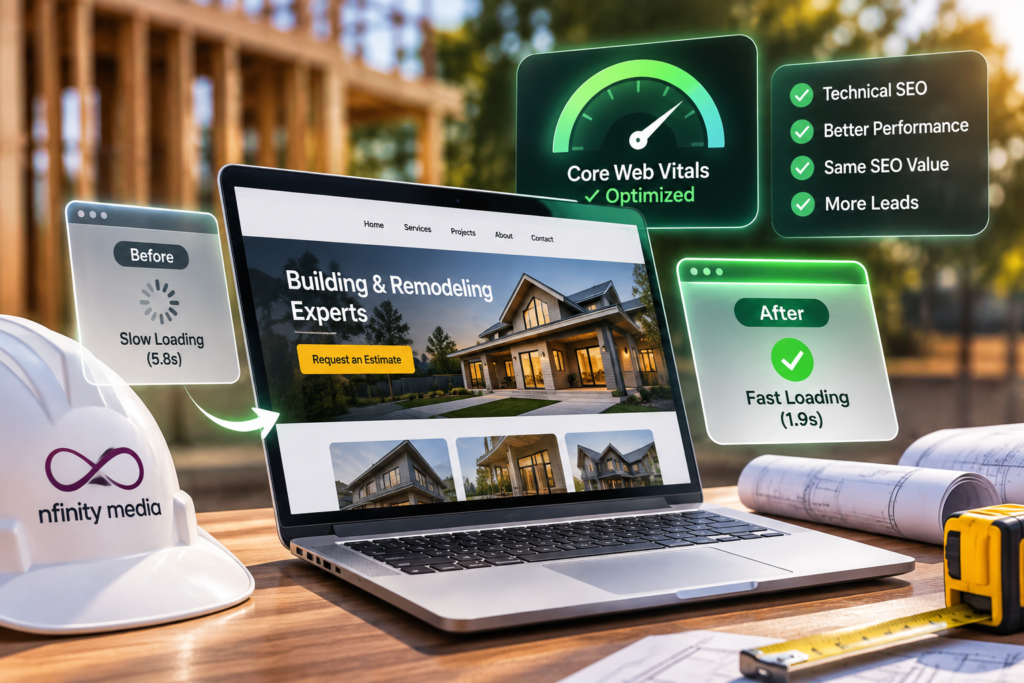
Your contractor website may already have valuable search visibility, strong service content, and an established portfolio.
The next improvement doesn’t necessarily require more pages, more advertising, or an entirely new website.
Sometimes the opportunity is to make the existing experience faster, more responsive, and easier for prospective customers to use.
That may involve optimizing Elementor, improving Core Web Vitals, refining mobile layouts, reducing unnecessary scripts, or planning a WordPress redesign that protects existing SEO performance.
Nfinity Media helps contractors connect WordPress website design, technical performance, SEO, and lead-generation strategy.
Whether your business operates in roofing, HVAC, electrical services, plumbing, general contracting, remodeling, pool construction, or outdoor living, the objective remains the same: a website that supports your services, protects existing search value, and makes it easier for qualified customers to reach you.
Ready to evaluate your contractor WordPress website?
Schedule a digital growth consultation with Nfinity Media to discuss your website’s current performance, SEO visibility, WordPress structure, and potential optimization opportunities.